The Sims 4 Neighbor Stories Guide: Settings, Tips, and the Best Mods for Total NPC Control
Neighbor Stories is one of the most impactful gameplay mechanics in The Sims 4, giving your game world increased realism and autonomy. This system allows the lives of non-playable sims (NPCs) to develop independently – NPCs can change their careers, start families, move to new homes, adopt pets, and even die – all without your direct intervention.
However, without proper configuration, The Sims 4 Neighborhood Stories can quickly lead to chaos, such as uncontrolled sim pregnancies, endless pet adoptions, and constant career switching among your town’s NPCs. In this comprehensive guide, we’ll explain how The Sims 4 Neighborhood Stories work, the best settings to use to protect your save file, and the most effective mods to take your world management to the next level.
What Are Neighbor Stories in The Sims 4?
Introduced in March 2022, The Sims 4 Neighbor Stories system enables sims to autonomously make major life decisions. This feature is now an essential tool for anyone looking to create a vibrant, evolving neighborhood in The Sims 4.
Without Neighbor Stories enabled:
- NPC Sims do not change jobs, have babies, get married, move away, or die.
- The entire world remains static, which can make The Sims 4 gameplay feel artificial.
With Neighbor Stories enabled:
- NPC sims marry, divorce, and have children on their own.
- Sims may switch careers or retire without your input.
- Neighbor sims move between homes, sometimes unexpectedly.
- Accidents and deaths can occur among townie sims.
- The game world feels dynamic and alive, responding organically to the passage of time.
In short, Neighbor Stories brings autonomous gameplay to all sims, letting you customize exactly how much control you want.
How to Set Up Neighbor Stories in The Sims 4
To adjust Neighbor Stories settings and optimize The Sims 4 gameplay, open the Manage Households menu. You’ll find it by clicking the icon with two figures in the top right while viewing the world map.
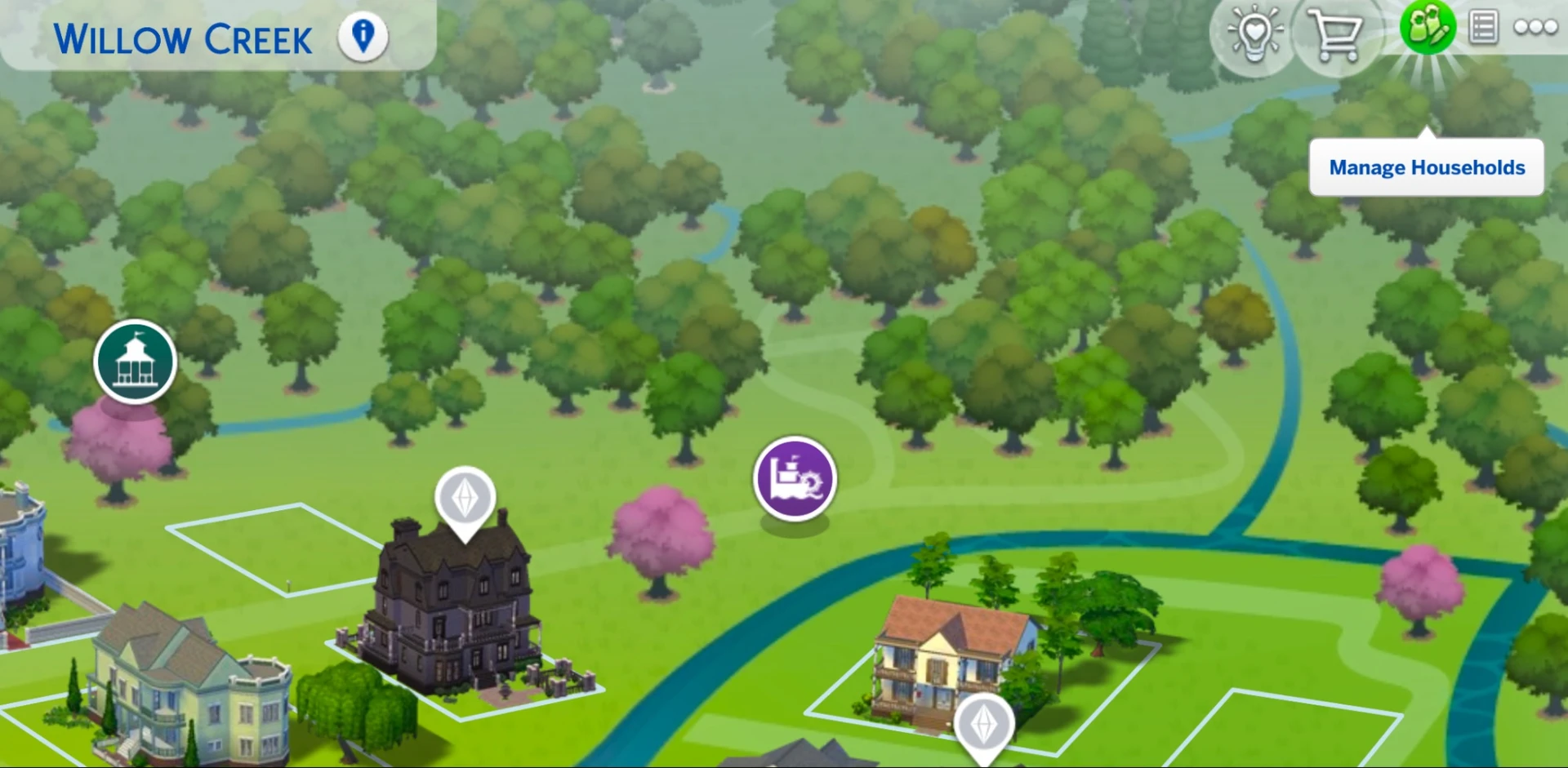
Two Levels of Neighbor Stories Settings:
1. Global Settings
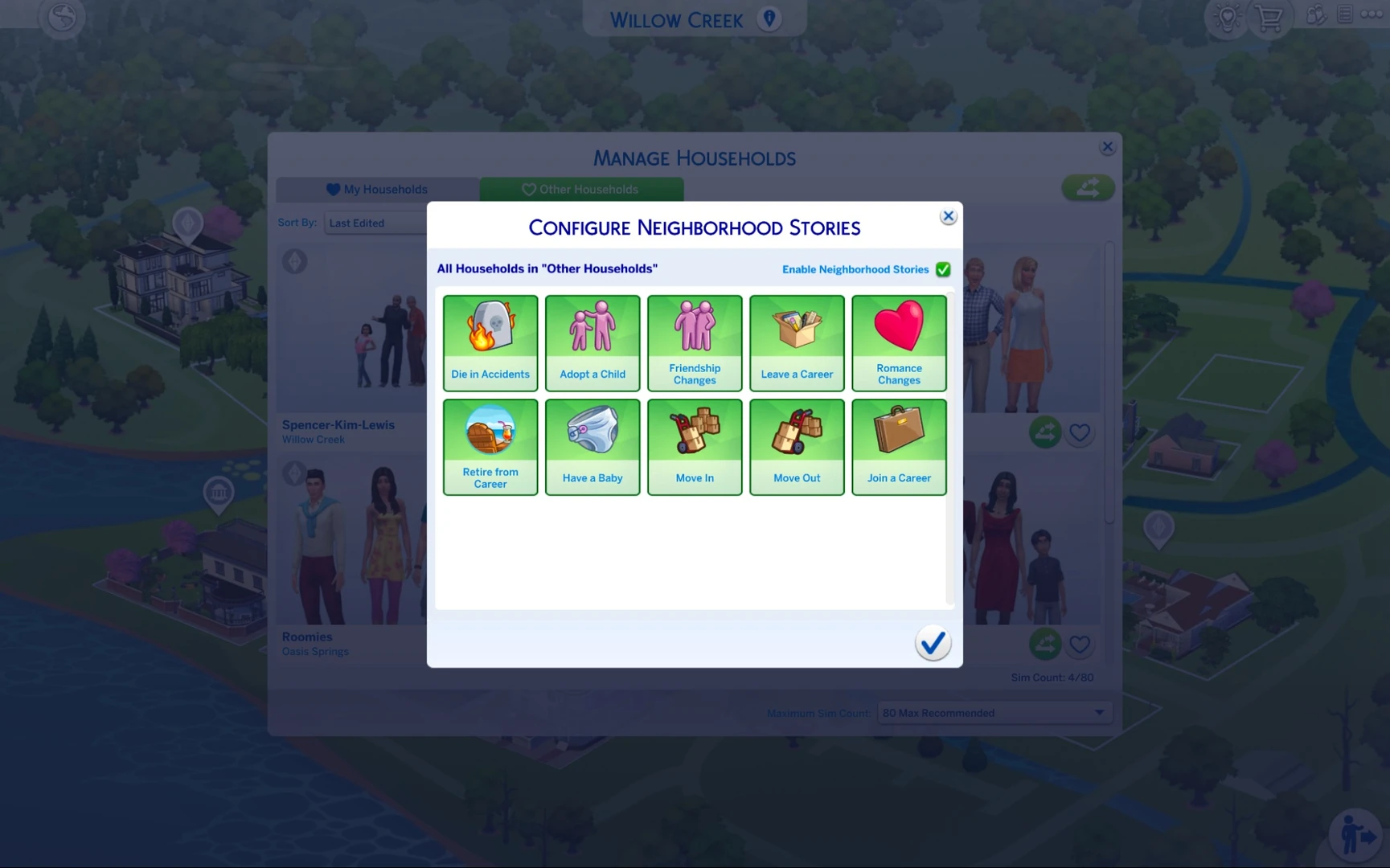
- Located under the “Other Households” tab, global settings impact all NPCs in your save.
- You can toggle events such as “Adopt Pets”, “Move”, “Have Children”, and “Death” for every household.
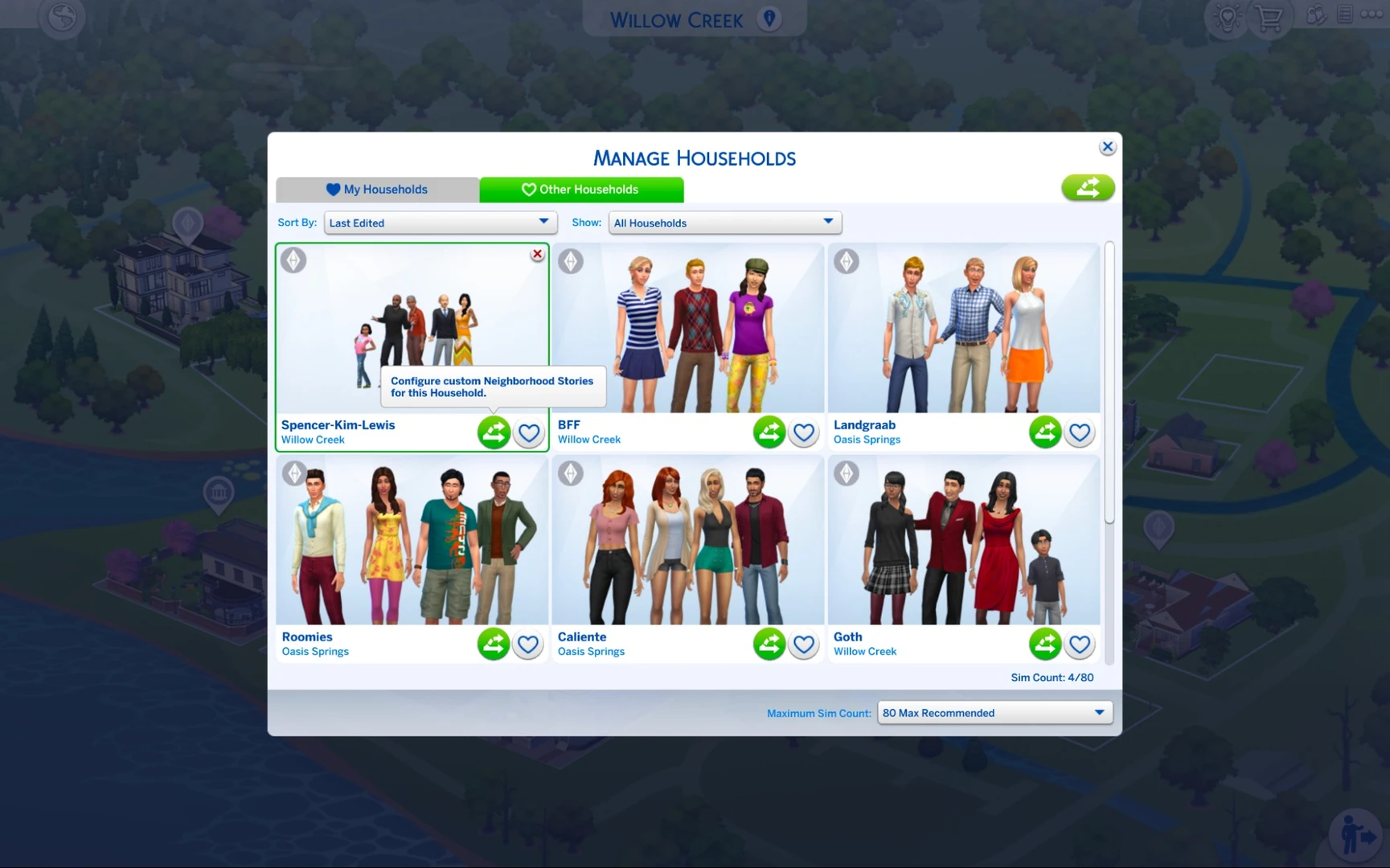
2. Individual Household Settings
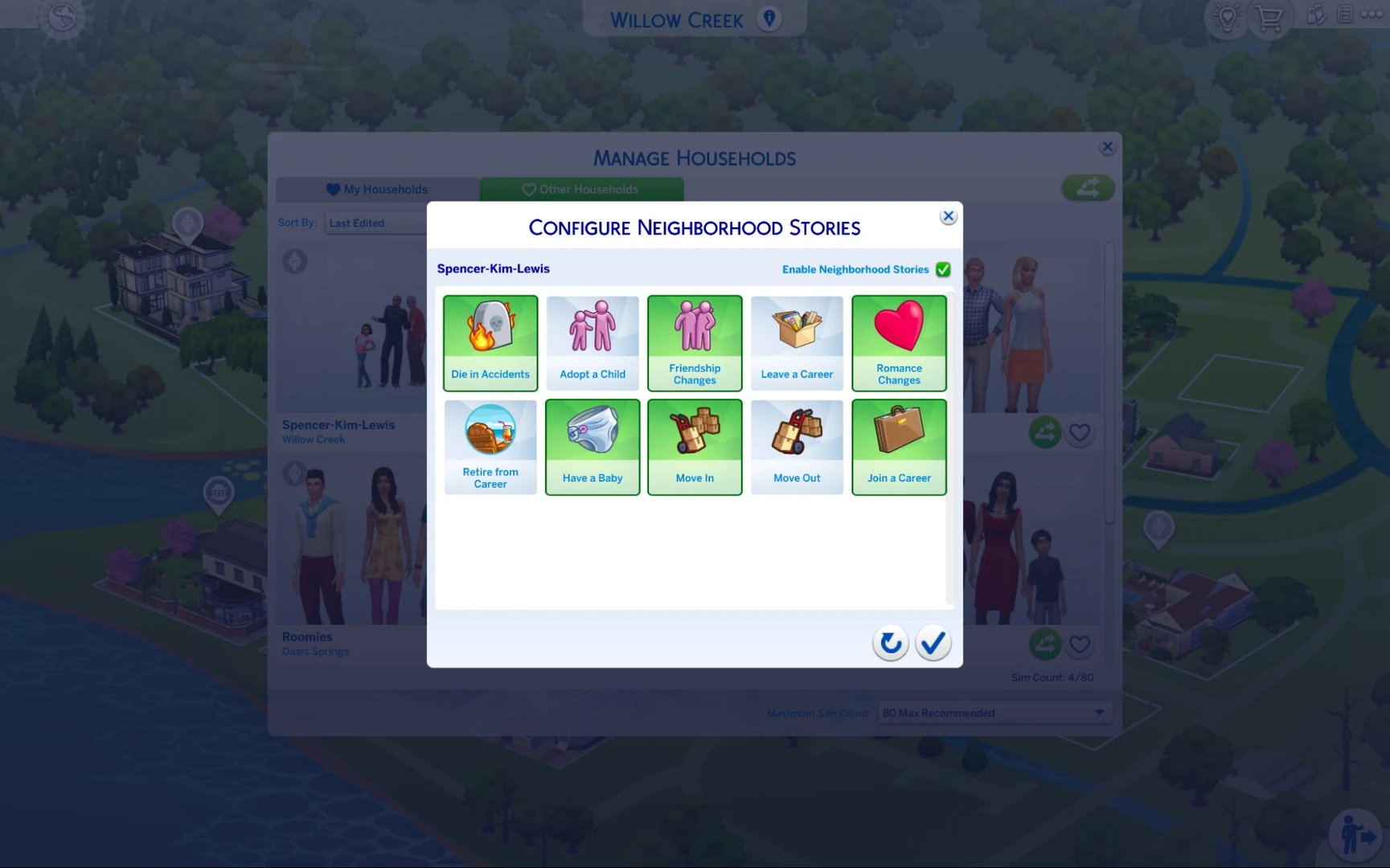
This is the most important and useful feature. You can go into each individual household and set up its own rules.
Why bother:
- To protect your favorite households from the chaos
- To put a stop to never-ending pregnancies
- To keep important NPCs effectively immortal
Example: say you want the Goth family to stay a classic two-parents-and-a-daughter household. You turn off "Have Children", "Move," and "Death" for them. Now Bella and Mortimer won't end up with three more kids or die in a freak accident.
Individual settings override global ones. That means even if births are enabled world-wide, you can still turn them off for a specific household.
How to Stop Endless Pets in Sims 4 Neighborhoods
One of the top complaints from The Sims 4 players is NPC households filling up with cats and dogs. This often happens if “Adopt Pets” is enabled in Neighborhood Stories global settings.
The Problem: NPC sims (including townies) can adopt unlimited animals, regardless of their home size or available funds.
Solution 1: Individual settings
Go into each household you care about and turn off the option to get pets. This is the most reliable approach.
Solution 2: Global settings
If you'd rather not see pets in any sim's household at all, simply disable this option globally. That way, no NPC will ever bring an animal home.
Top Sims 4 Mods for Managing Neighborhood Stories
If The Sims 4’s built-in Neighbor Stories don’t deliver enough control, several must-have mods will help you structure your gameplay exactly the way you want.
MC Command Center (MCCC) – the ultimate tool
This isn't just a cheat mod, it's a full-blown command center for the entire game. We covered all of its modules in detail in this article. The mod comes packed with settings for Neighbor Stories:
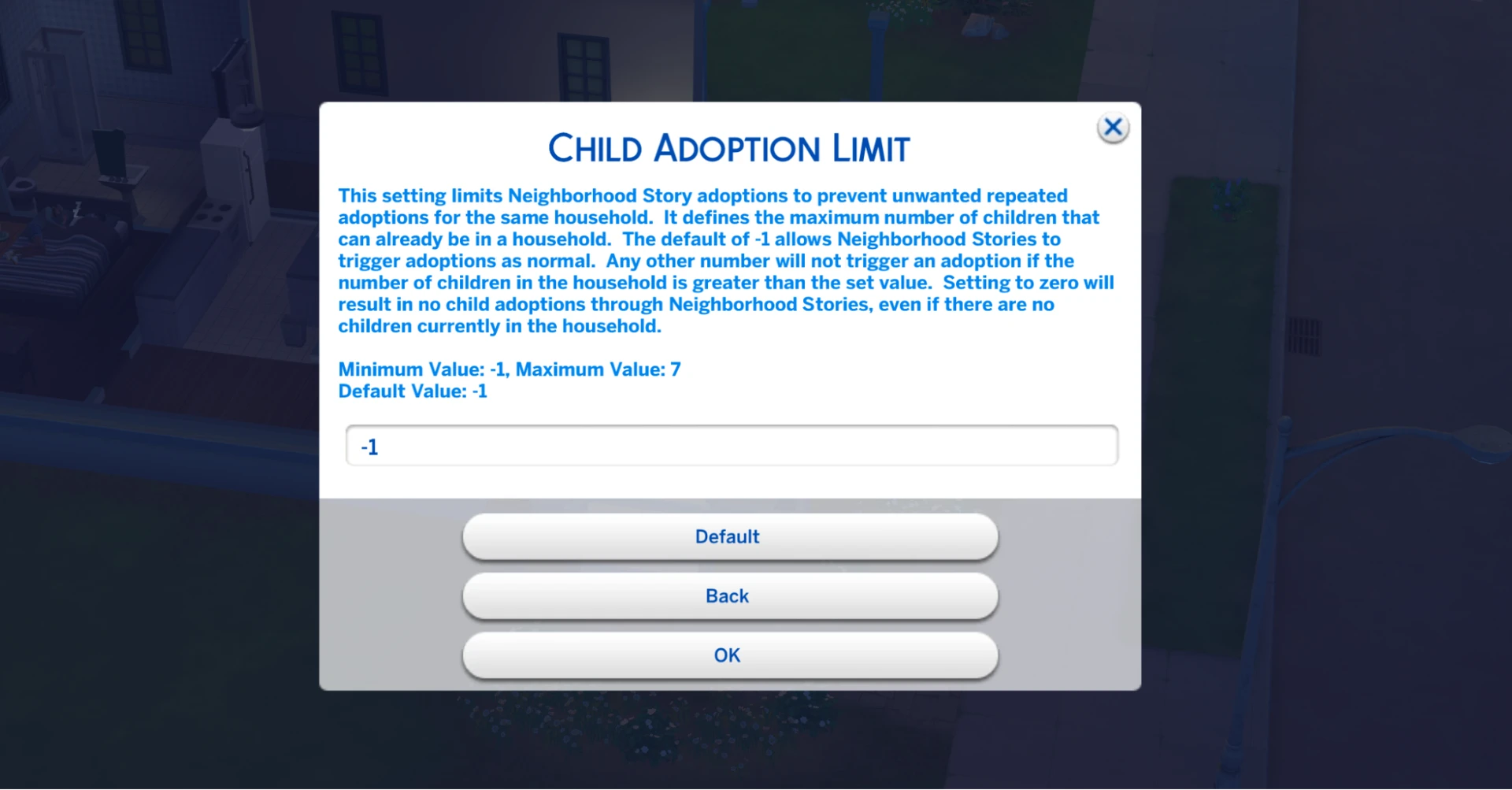
— Child adoption limit per household: lets you set a maximum number of children (e.g., 3)
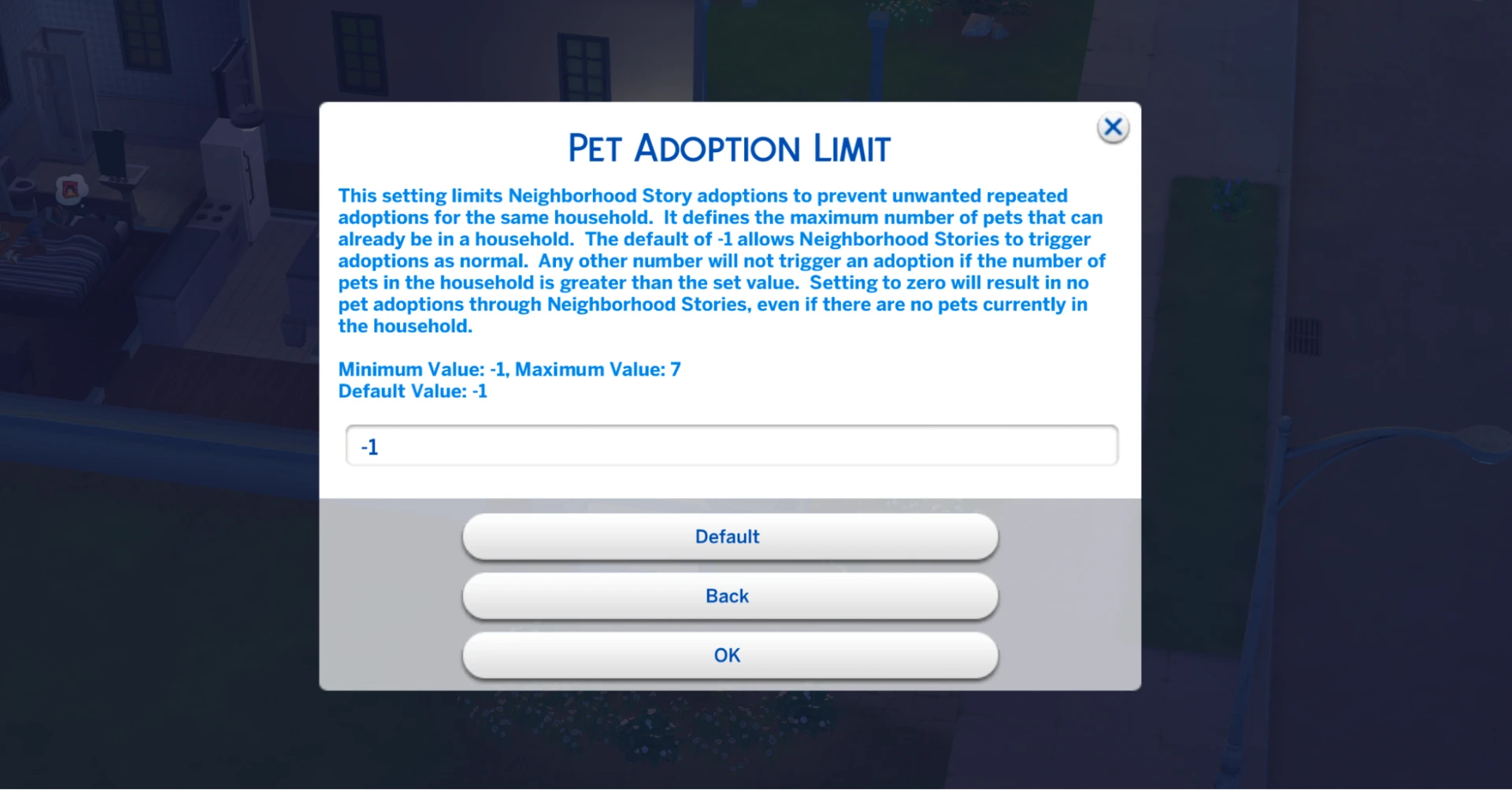
— Pet adoption limit per household: puts an end to the endless animal problem (e.g., 2)
— Event probability: lets you dial up or down the likelihood of any given event
MCCC puts you in complete control of your world. You can make it as realistic as you want.
Neighborhood Stories Expanded by KaylaDot
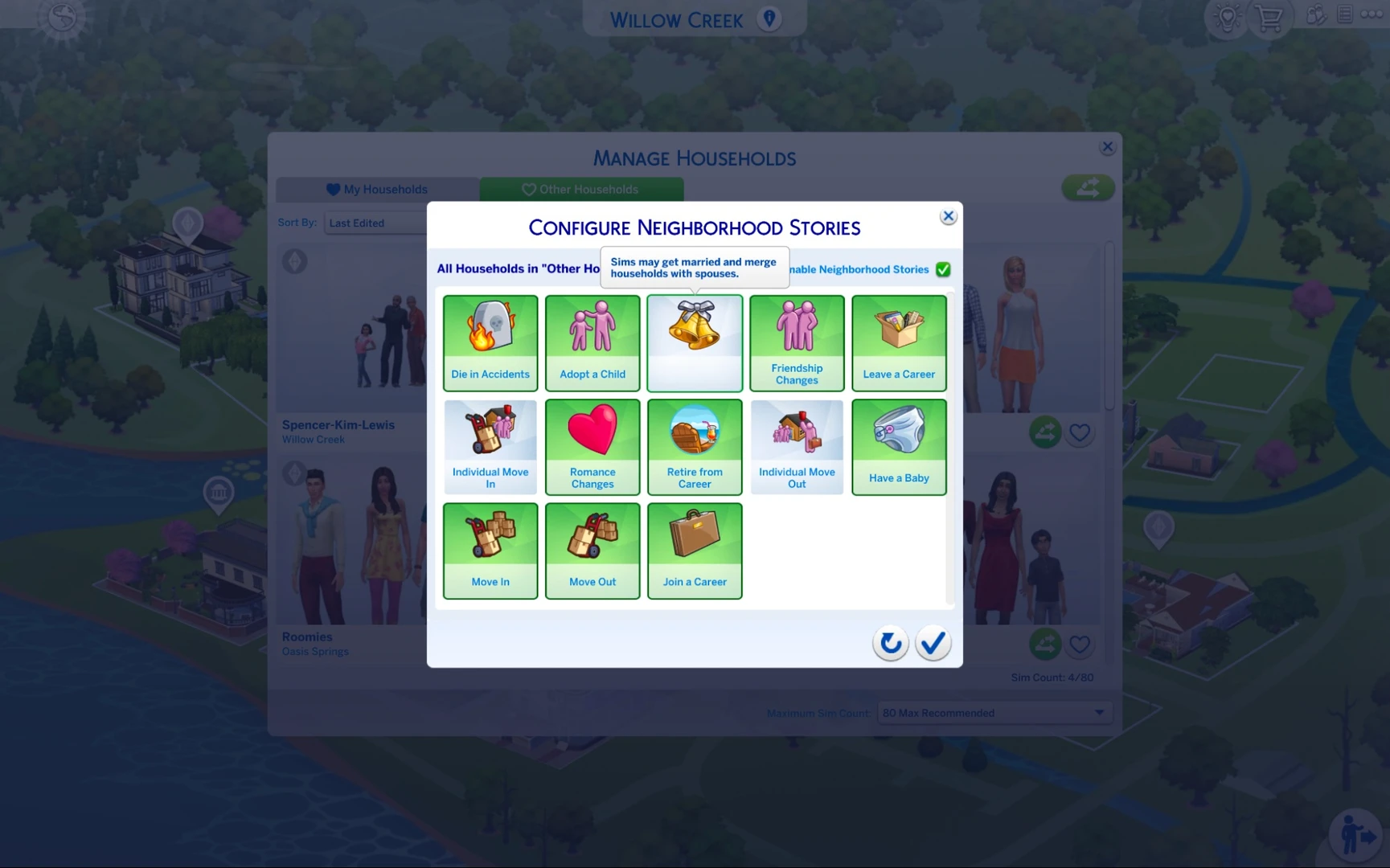
This mod adds brand-new events to the Neighbor Stories system. NPCs will now be able to independently:
- Get married – sims can make their relationships official.
- Move in with a partner – a character moves in with their significant other, leaving their family behind.
- Move out from a partner – similarly, sims can split up and go their separate ways, reshuffling household members.
These actions show up in the Neighbor Stories menu, letting you watch NPC lives unfold without ever stepping in to pull the strings.
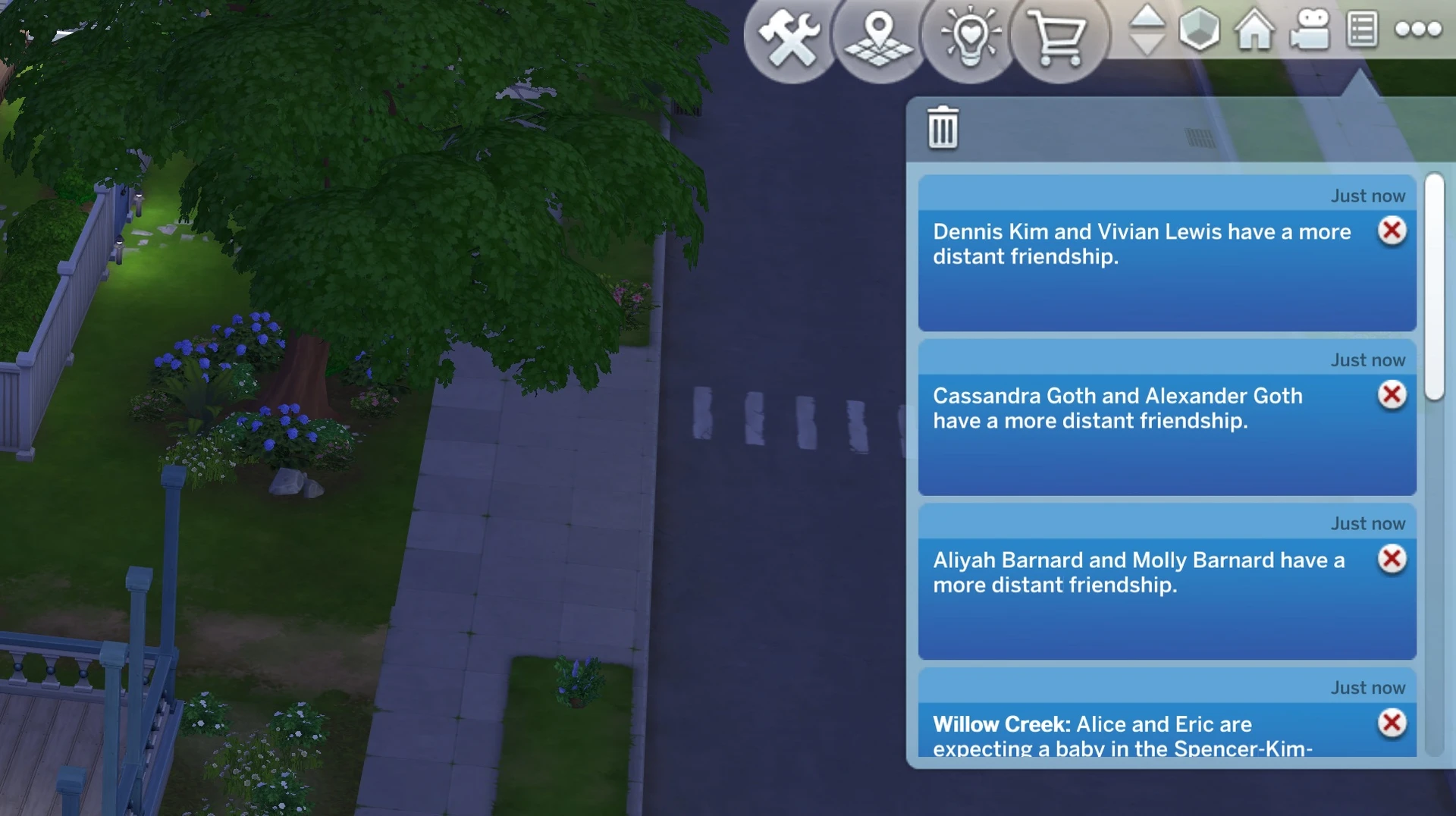
Full Names in Neighborhood Stories by KaylaDot
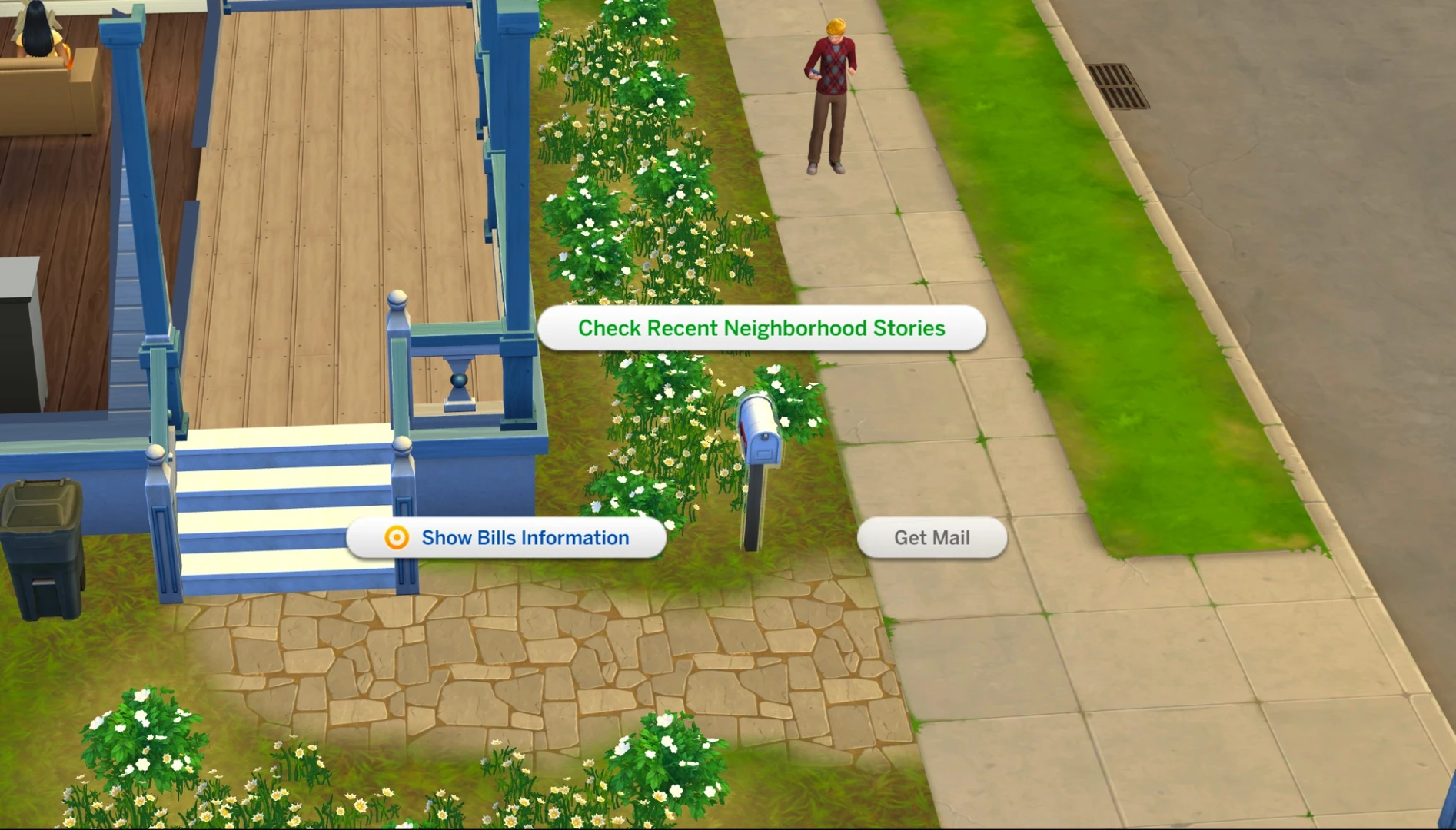
A small mod, but an incredibly handy one. When checking neighbor stories through the mailbox, relationship change notifications will now display characters' full names (first and last) rather than just their first name. This makes it much easier to keep track of events and figure out exactly which neighbor got married, moved away, or had a baby.
Fewer Horse Adoptions by Kuttoe
This mod tackles a very specific issue tied to the Horse Ranch expansion. In the base game, Neighbor Stories can lead to NPCs adopting horses in unlimited numbers – even if they have no space or means to care for them.
Fewer Horse Adoptions restricts horse adoptions to households that actually own land in Chestnut Ridge. This prevents situations where city families in San Myshuno suddenly end up with five horses out of nowhere.
Neighborhood Stories Viewer by TwistedMexi
This mod from the well-known creator TwistedMexi (the mind behind Better Exceptions and T.O.O.L.) tackles the clunky Neighbor Stories interface. In the base game, all world event notifications get lumped together in one big list, making it easy to miss something important while scrolling through.
What the mod does:
— Adds a dedicated viewer window for Neighbor Stories. It still opens when you click "View Recent Neighbor Stories" on the mailbox – same as before – but now it's a clean, standalone interface.
— Loads stories in batches of 10 and pulls in more as you scroll. No more waiting for every single event to load all at once, or clicking on the mailbox a hundred times just to catch up on everything.
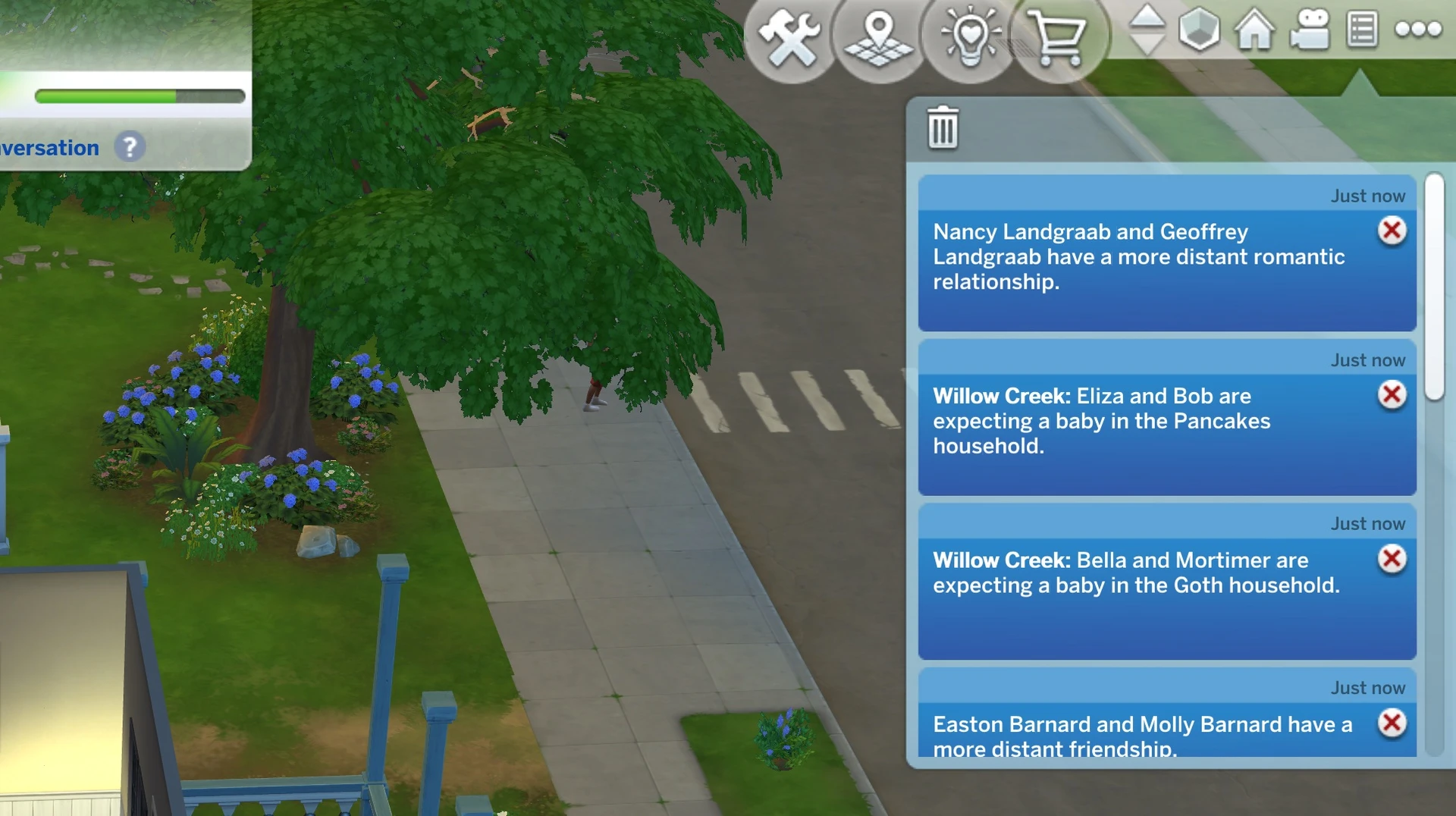
— Fully separates neighbor stories from all other notifications. You can read through them at your own pace without other game messages getting in the way.
Why it's worth it: It doesn't change the Neighbor Stories events themselves, but it makes reading and keeping up with them significantly more enjoyable. It's especially valuable for players who love following the pulse of the town and want to see the full picture of what's going on, without wading through a wall of mixed notifications. To close the window, just hit the notification wall button or the trash icon, which will automatically clear the list.
How to Set Up Neighbor Stories: A Step-by-Step Guide
Step 1: Decide on the style of your save.
Are you going for full-blown chaos with every event enabled, or tight control with almost everything turned off?
Step 2: Configure the global settings.
Head into Manage Worlds and lay down the ground rules for all NPCs.
Step 3: Set up your important households individually.
Go into each household you want to "preserve" and turn off any events you don't want happening to them.
Step 4: Install MCCC (if needed).
If the built-in settings aren't enough, install MCCC and fine-tune the extra parameters – child limits, pet limits, event intervals, and more.
Step 5: Install supporting mods (if needed).
If something's driving you up the wall – like NPCs drowning in pets – grab the mod that fixes it.
Step 6: Sit back and enjoy a living world.
Your world will now evolve and breathe without descending into chaos.
Neighbor Stories is a powerful tool that can either bring your world to life or turn it into a complete mess. It all comes down to your settings.
Just remember the golden rule: you can always turn off any option you don't like. The game won't punish you for it. What matters most is that you're having fun.